
Quick answer: decide the room purpose before chasing the exact player count
The most useful first decision in MECCHA CHAMELEON multiplayer is not only how many people can join. It is what kind of session you want to run. A first-time friend lobby should usually stay small enough for everyone to learn hiding, seeking, painting and role rotation. A stream lobby can be much larger in energy, but it needs waiting rules, spoiler rules and a clear way to rotate players.
The exact supported player count, server behavior, price, platform notes and updates can change. This wiki does not freeze unverified numbers as permanent facts. Check the official Steam page and the in-game interface for current availability. The stable advice is different: agree on communication, practice rounds, spectator behavior, and what happens when someone disconnects.
Small groups make mistakes easier to discuss. Medium friend groups are usually the best balance between social fun and readable hide-and-seek. Large viewer sessions create more chaos and better moments, but they also require stricter moderation. If you spend one minute before the first round clarifying the rules, the game itself becomes much smoother.
How many people should play together?
Use the official store and game interface for current limits. For planning, think in terms of learning rooms, friend rooms, public rooms, and stream rooms.
| Session type | Best for | Check first |
|---|---|---|
| 2-3 player practice | Learning paint, silhouette control and seeker scan order without pressure. | Treat early rounds as practice and explain one discovery reason after each round. |
| 4-6 friend lobby | A balanced room where role rotation, jokes and readable strategy can coexist. | Decide voice chat, seeker order and whether repeated hiding spots are allowed. |
| Large stream lobby | High-energy viewer sessions with many candidates and unpredictable hiding attempts. | Lock join order, spoiler rules, reconnect rules and moderation before the room opens. |
| Public or quick room | Short sessions with less coordination, useful when friends are not available. | Confirm online features and matchmaking behavior in the current game build. |
Friend lobbies are easier when the invite is not the first instruction
Before sending an invite, make sure everyone is launching the same Steam version, knows whether voice chat will be used, and understands whether the first rounds count as practice. Those three checks prevent most early confusion. If the group is new, the host should explain what hiders are allowed to do, when seekers start, and how role changes work.
MECCHA CHAMELEON depends on observation. A friend who gives away a hiding spot in voice chat, a viewer who writes the location in comments, or a spectator who hints too much can break the core game. The rule does not need to be complicated: no location spoilers while a round is active, no hidden information from spectators, and no arguing over practice rounds.
When friends cannot join, check Steam online status, game version, region or server settings, firewall behavior, VPNs and any current official announcements. Do not assume every issue is a game bug. Multiplayer friction often comes from one client being out of date or one player appearing offline.
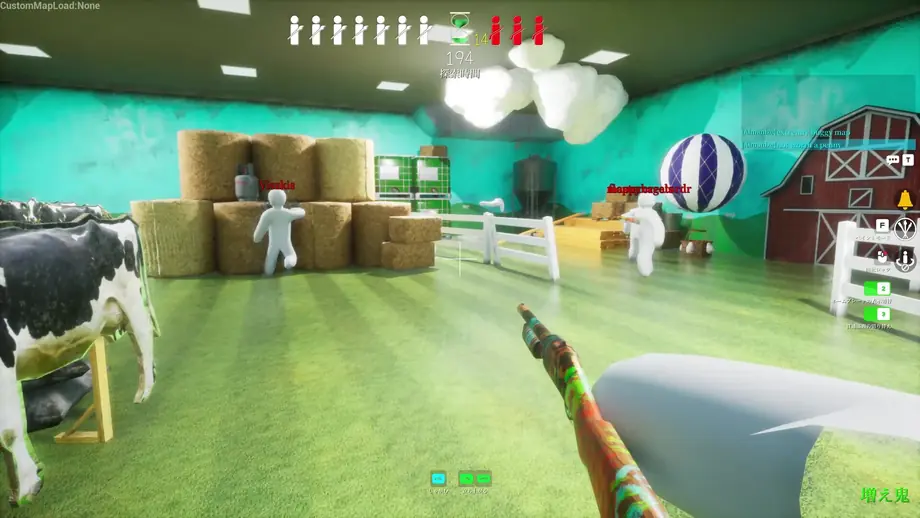
First multiplayer room setup checklist
For the first room, keep the rules simple and focus on getting every player into the same state.
Check Steam and the in-game interface
Use the official store and current game display for changing facts such as player limits, updates, price and support notes.
Match client state before inviting
Confirm everyone has launched the same game version, appears online and knows whether voice chat is part of the session.
Use two practice rounds
Let both sides test hiding and seeking before treating the session as competitive.
Fix one sentence of room rules
For example: no spoilers after being found, no location comments, and reconnecting players return next round.
Rules that keep friend and stream sessions fair
In stream participation, the room can fail even when the game works perfectly. The host needs a queue, a rotation rule, a policy for repeat players and a clear spoiler rule for chat. Without that, waiting time and hidden information become the real problem.
In private friend rooms, voice chat can accidentally leak too much. Some groups mute during hiding, some move found players to a spectator role, and some allow talking but ban location hints. Choose the lightest rule that preserves observation and surprise.
Ban location spoilers
The game is about reading scenery. Chat or voice spoilers turn the round into information leakage.
Set rotation before opening
A clear queue and replacement rule keeps larger rooms from feeling unfair.
Protect beginners
Early paint and movement mistakes are normal. Share one useful reason instead of blaming the new player.
What to check when a room does not work
Separate official service changes from local issues by checking the simple causes first.
Steam status
Confirm every player is online and launching the Steam version.
Version mismatch
After updates, one client may need a restart or download before joining.
Network setup
VPNs, firewalls and unstable connections can affect invites and lobbies.
Official notes
Use Steam news and in-game messages for current outage or support information.
Use the official trailer to read the multiplayer rhythm
The trailer is not a guarantee of current lobby rules, but it shows the tempo, stage density and why the game works well in social play.
FAQ