Are there Meccha Chameleon mods?
Yes. MECCHA CHAMELEON has a Steam Community Workshop, and the clearest legitimate mod use is subscribing to community-created maps or map-related content that Steam displays publicly. Search demand often mixes the words mods, hack, cheats, Workshop, and auto paint, but those terms do not describe the same thing.
A Workshop item that changes the playable stage and appears in your Steam subscription list is very different from a third-party program that paints automatically, reveals hidden players, changes movement, or injects code into the game. This guide focuses on the first category and explains why the second category is unsafe for fair multiplayer.
If the content is not visible on the official Steam Workshop or another developer-approved channel, do not run it just because a video calls it a mod.
How to install Meccha Chameleon Workshop maps
Steam Workshop subscriptions are the most transparent route because Steam shows the creator page, item history, ratings, comments, and your subscription status. Availability can change as creators update or remove files, so verify the live Workshop page instead of relying on an old download mirror.
A custom map may require every player in a lobby to have compatible content or may only work through a specific host flow. Read the item description and recent comments before inviting friends. If a map fails after a game update, unsubscribe, restart Steam, and test the unmodified game before assuming your save or installation is broken.
Open the official Workshop
Use the MECCHA CHAMELEON Community Hub Workshop link and confirm the app is 4704690 before subscribing.
Inspect the item page
Check the creator, update date, description, dependencies, comments, and whether the item is a map, preset, or something else.
Subscribe and restart
Select Subscribe, allow Steam to finish the download, then restart the game if the content does not appear immediately.
Test in a private lobby
Verify loading, collision, spawn points, and friend compatibility before using the content in a public session.
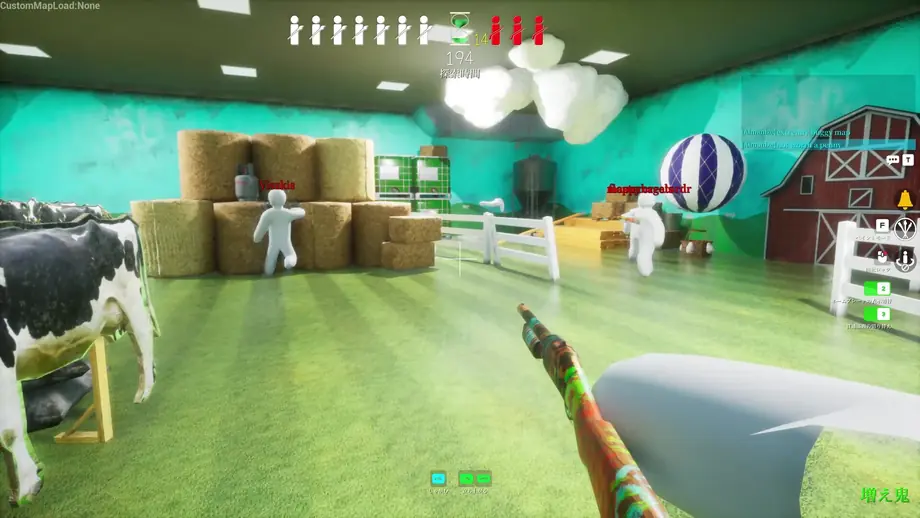
Meccha Chameleon mods, Workshop items, and cheats are not the same
Use the delivery method and gameplay effect to classify what you found. A familiar label in a video title is not proof that a file is safe or fair.
| Type | Typical example | Recommended decision |
|---|---|---|
| Steam Workshop map | A public map subscription with a creator page, description, comments, and Steam-managed download. | Reasonable to test in a private lobby after reading the item details. |
| Cosmetic or practice preset | A transparent, lobby-approved change that does not reveal opponents or automate actions. | Use only when the host and players understand the change and the current game supports it. |
| Auto-paint or automation | Software that paints a matching pattern, repeats inputs, or performs gameplay actions for the player. | Treat as cheating in competitive or public play; do not download unknown executables. |
| ESP, wall vision, speed, teleport, injection | Tools that reveal hidden players, alter movement, bypass rules, or inject into the process. | Cheat behavior and a security risk. Avoid, remove, and report suspicious public use. |
Searches for Meccha Chameleon hack or cheats often lead to videos, file hosts, or executables with unclear ownership. This page does not verify or recommend those downloads.
A safer checklist before using any mod
Workshop visibility lowers uncertainty, but it does not remove the need to review the item. Community content can be outdated, conflict with another subscription, or change the balance of a match. Use a clean baseline so you can tell whether a problem belongs to the game or the added content.
For public multiplayer, prefer the unmodified game unless the lobby clearly advertises a custom map. Fairness matters more than whether a creator describes a tool as quality-of-life.
- Confirm the Steam app and Workshop page belong to MECCHA CHAMELEON.
- Read the item description, dependencies, latest update, and recent comments.
- Avoid password-protected archives, shortened download links, and unsigned executables.
- Test one new subscription at a time in a private lobby.
- Keep screenshots or names of enabled items when troubleshooting with friends.
- Unsubscribe and verify game files if crashes begin after adding content.
How to recognize suspicious play without accusing too quickly
Good players can match paint, predict common hiding spots, and move efficiently. Look for repeated impossible patterns rather than one surprising round.
Instant perfect paint
A player repeatedly produces complex, precise camouflage with no visible adjustment time across unrelated surfaces.
Knowledge without scanning
A seeker consistently runs directly to hidden players through walls or across the map without checking normal visual clues.
Impossible movement
Speed, teleport-like position changes, or repeated movement that cannot be reproduced with current controls and latency.
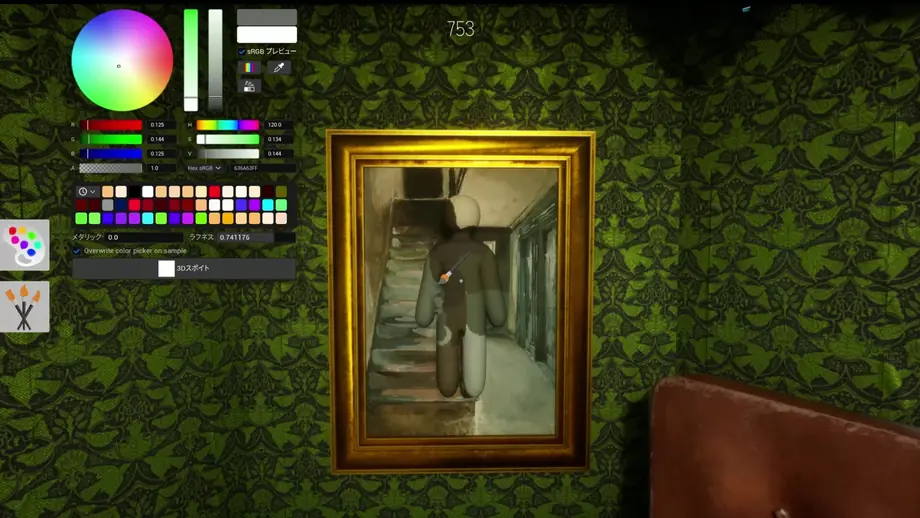
What to do if a mod breaks the game or a player appears to cheat
Separate technical cleanup from player reporting. If your own game crashes, remove recent subscriptions first. If another player appears to cheat, record only what you observed and use the available Steam or in-game reporting path rather than starting a harassment campaign.
Do not upload another player's personal information. A short clip showing the round, lobby context, and repeated behavior is more useful than insults or speculation.
Return to a clean install
Unsubscribe from recent Workshop items, restart Steam, and use Steam's Verify integrity of game files option.
Reproduce privately
Launch the base game, then re-enable one item at a time to identify the subscription that causes the issue.
Document suspicious behavior
Save a short clip, profile link, lobby time, and a factual description of what happened.
Use official report channels
Use the current in-game or Steam profile reporting tools and avoid reposting unverified cheat downloads.
Meccha Chameleon mods FAQ
How do I get mods on Meccha Chameleon?
Start with the official Steam Community Workshop for app 4704690. Subscribe to a clearly described item, let Steam download it, restart the game, and test it in a private lobby.
Does Meccha Chameleon have Steam Workshop maps?
Yes. The Community Hub exposes a Workshop and public map-related items. Live availability can change, so check the Workshop page and item update date.
Is auto paint a normal mod?
Automation that paints or performs actions for the player should not be treated like a normal community map. In public or competitive play it creates an unfair advantage and may require unsafe third-party software.
Can I be banned for using Meccha Chameleon cheats?
Enforcement details can change and only the developer or platform can confirm a specific penalty. The safe choice is to avoid cheats, injected tools, automated gameplay, and unknown executables.
How do I remove a broken Workshop map?
Unsubscribe from the item, restart Steam, verify the game files, and test the base game before re-enabling other subscriptions.
Official and community references checked
- MECCHA CHAMELEON Steam store — Official app identity and platform page.
- MECCHA CHAMELEON Steam Workshop — Community-created Workshop items and current subscription pages.
- Auto Paint Workshop discussion item — Community example showing why auto-paint searches need a fairness warning.
- Steam Support: reporting players — Official Steam guidance for reporting another player.
Continue with fair-play guides
High score guide
Improve Likes and missed-spot score through repeatable practice instead of automation.
Hiding guide
Learn paint matching, silhouette control, movement timing, and strong hiding spots.
Controls guide
Check the current inputs before blaming a mod for movement or painting problems.