Bottom line: use Steam for purchase and installation checks
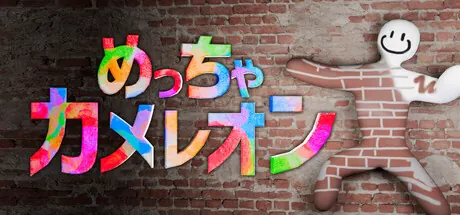
The safest way to buy or install MECCHA CHAMELEON is to use the official Steam page. This guide explains where to check the live price, how to treat free-download claims, what to verify before buying, and what to do if the game does not launch after purchase.
Do not treat a price shown in an old article, video caption, repost, or search snippet as the final price. Steam can show different prices by region, currency, sale period, taxes, bundles, and account state. The useful habit is to open the official app page, confirm that the game name and app ID match, and then make the decision from the current store view.
This page is intentionally separate from the system requirements guide. It focuses on buying, safe download routes, free-version claims, and quick troubleshooting after purchase. For performance, Steam Deck, or PC compatibility checks, use the system requirements page before paying. For gameplay strategy, move to the hiding, seeker, and multiplayer guides after installation.
What to check on the official Steam page
Check more than the price. The app name, app ID, developer, supported platform, news, and update context help you avoid lookalike pages and unsafe mirrors.
| Item | Where to check | Why it matters |
|---|---|---|
| Official store | Open Steam app ID 4704690 / MECCHA CHAMELEON. | It keeps you on the real listing instead of an ad, mirror, or lookalike page. |
| Price and sale | Review the price shown for your logged-in region, sale end time, and bundle notes. | Amounts in search results may be stale or from another region. |
| Platform support | Read the Windows/system requirements, language, and controller notes. | It reduces purchase mistakes before you install or stream the game. |
| News and updates | Read Steam news and recent update posts. | Fast-moving launch information is more reliable from first-party posts. |
Use the live Steam display as the price source
The current Steam page should be the source of truth for price. Regional pricing, sale discounts, tax display, exchange rates, bundles, and account restrictions can all change what a buyer sees. If a page claims a fixed price without a date and region, treat it as background information only.
If you are waiting for a discount, the Steam wishlist is the safest route because it gives official sale notifications. Unknown key shops, repacked downloads, and file mirrors may look cheaper, but they can create refund, region-lock, malware, or account-protection problems.
If you plan to play with friends or a stream audience, price is only one part of the decision. Confirm that everyone can buy the same Steam version, update at the same time, and meet the basic PC or Steam Deck checks before scheduling a session.
How to judge free, APK, and unofficial download claims
Words like free, APK, browser play, or cracked download should be treated carefully unless the official developer or Steam page points to that route. This wiki does not link to mirrors, repacks, APKs, or unauthorized installers.
Prefer Steam
Use Steam for purchase, installation, updates, ownership, and refund checks.
Check free claims
If Steam does not list a free version or demo, treat free-download pages as unverified.
Avoid APK claims
This guide tracks the Steam release. Android APK or port claims are not recommended.
Protect your account
Unknown files and keys can carry malware, region, refund, or account risks.
What to check after purchase if something fails
If the game does not launch, runs poorly, or friends cannot join, split the problem before deciding what to do next. Always read the current Steam Help page for refund rules.
Launch from Steam Library
Start from Steam itself and make sure there is no pending update or file verification issue.
Check PC and network basics
Review Windows, GPU, storage, background apps, VPN, firewall, and connection state.
Align multiplayer setup
Make sure every friend uses the same updated Steam version and agrees on invite and voice rules.
Read Steam Help
Refund windows and conditions should be checked on the official Steam Help pages, not copied summaries.
Watch the official trailer before buying
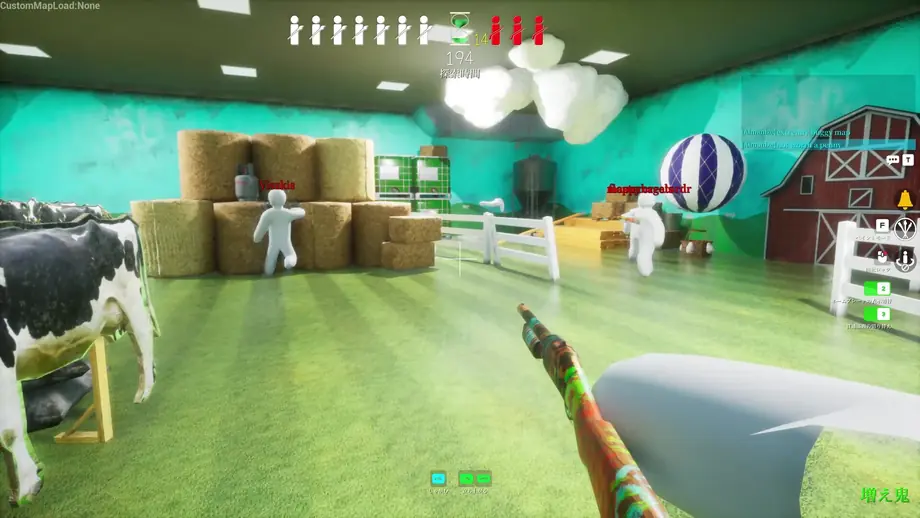
The trailer is not a price or performance guarantee, but it helps you judge the pace, visual density, hiding theme, and stream-friendly mood before purchase.
Official and supporting sources
Use first-party sources for changing purchase information and supporting sources only for context.
FAQ