
Short answer: verify changing facts on Steam, then isolate your PC setup
When checking whether MECCHA CHAMELEON will run on your setup, start with the official Steam page and then compare it with your own PC or Steam Deck. Search results and videos can help, but requirements, language support, compatibility labels, reviews, and update notes can change after launch.
This guide explains where to look on Steam, how to read Steam Deck signals, and what to check before your first session. It does not point users to unofficial downloads, mirrors, cracked installers, or APK-style files. Use the official Steam route for buying, installing, and updating the game.
The multiplayer guide covers lobbies and friend sessions. This page is narrower: it focuses on PC compatibility, Steam Deck checks, and whether your environment is ready before you start playing.
System requirement items to check on the official Steam page
Use this table as a checklist while viewing the Steam store page. This wiki explains the decision points; the current numbers and compatibility labels should come from official sources.
| Item | Where to check | How to judge it |
|---|---|---|
| OS / platform | The system requirements section on Steam. | Confirm that your Windows version or target environment is covered. |
| CPU / memory | Minimum and recommended requirements when shown. | If you are close to the minimum, avoid recording or streaming during the first test. |
| Graphics | GPU, DirectX, and store notes. | A game can look simple and still need stable rendering for stages and online play. |
| Storage | Required disk space and update size. | Check both free space and the Steam library drive you plan to use. |
| Language / input | Supported languages, controller notes, and keyboard display. | For friend sessions, make sure everyone can understand the same prompts and controls. |
What to check if you want to play on Steam Deck
Steam Deck compatibility can change as Valve, Proton, and the game itself update. Even when a label such as Verified, Playable, Unsupported, or Unknown appears, small text, controller input, online play, and performance still deserve a quick check.
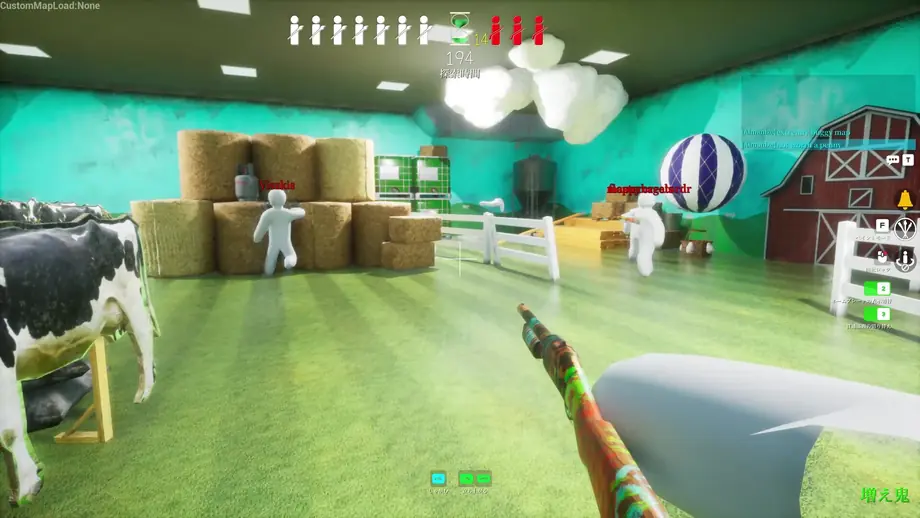
Before buying, compare the Steam store compatibility label with SteamDB app information and ProtonDB reports. MECCHA CHAMELEON depends on spotting color differences, silhouettes, and shadows, so small-screen visibility matters as much as whether the game launches.
If you plan to stream or record from a Steam Deck, test the game alone first and then test the streaming setup separately. Running is not the same as staying comfortable for a full session.
Pre-purchase and first-launch checklist
Do not judge only by one spec number. Check the store page, local hardware, first launch, and online setup separately.
Open the official Steam page
Use Steam app 4704690 to confirm price, OS support, requirements, and recent news.
Compare your PC basics
Check CPU, memory, GPU, and free storage through Windows settings or Steam, then compare them with the listed requirements.
Start with lighter settings
Lower resolution or visual settings for the first run, then test recording or streaming later.
Check networking before multiplayer
Confirm Steam online status, firewall, VPN, and pending game updates before inviting friends.
How to isolate launch or performance problems
If the game will not start or feels heavy, separate Steam status, PC load, input, and network causes before assuming one fixed issue.
Steam status
Restart Steam and check pending updates or file integrity.
PC load
Close recording, streaming, browser tabs, and background apps before testing the game alone.
Input setup
On Steam Deck or controllers, confirm the layout and in-game prompts match your input.
Online connection
Before multiplayer, isolate VPN, firewall, and temporary connection problems.
Use the official trailer to judge screen readability
The trailer is not a performance guarantee, but it helps you inspect stage color density, shadows, silhouettes, and motion that matter on smaller screens.
Official and supporting sources
For changing facts, separate first-party store information from supporting databases and player reports.
FAQ