
Can you play MECCHA CHAMELEON on PS5?
As checked on August 6, 2026, the verifiable first-party product listing is the Steam release for Windows PC. We did not find a verifiable official PlayStation Store product page or developer announcement confirming a PS5 edition.
That means this page should not promise a PS5 version, PS5 release date, or PS5 download. A future port remains possible, so the wording is deliberately time-stamped rather than an absolute claim that the game can never come to PlayStation.
If you want to play now, use the official Steam route on a supported Windows PC. A Steam Deck or remote-play setup is a separate PC path and does not turn the game into a native PS5 release.
Search results, fan videos, controller adapters, remote play, and unofficial downloads do not prove PlayStation support. Recheck the official PlayStation Store, developer announcements, and Steam news before treating a port as confirmed.
What the first-party check actually found
Platform availability is a source-verification question. The table separates confirmed evidence from the absence of evidence so an old snippet or a generic controller image is not presented as a release announcement.
The generated illustration beside this table is only a conceptual verification diagram. The real evidence is in the linked official store and news pages.
| Question | Official signal checked | Practical interpretation |
|---|---|---|
| What release is verified? | The official Steam listing presents MECCHA CHAMELEON as a Windows PC game. | Windows/Steam is the confirmed purchase and installation boundary. |
| Is a PS5 product page verified? | No verifiable official PlayStation Store product page was found in the check dated 2026-08-06. | Do not label the game as a PS5 release. |
| Is there a PS5 release date? | No first-party PS5 date or port announcement was verified. | Treat release-date claims as unconfirmed until a first-party source publishes them. |
| Does Steam Deck prove PS5 support? | Steam Deck is a handheld PC path connected to Steam, not a PlayStation platform listing. | Keep Steam Deck, Windows PC, and PS5 as separate platform questions. |

How to verify a future PS5 announcement
Use the same short source chain whenever the platform question changes. A date, price, or trailer should be treated as confirmed only when the first-party pages agree.
Search the official PlayStation Store
Search MECCHA CHAMELEON and check the publisher, product identity, region, supported platform, release date, and purchase button.
Check the developer announcement
Look for a dated post from the developer or an official PlayStation channel. A third-party article can be a lead, but not the final proof.
Cross-check the store metadata
Confirm that the platform, price, release date, screenshots, and age or region information match the announcement rather than an unrelated title.
Recheck after updates
Platform plans can change. Revisit the official listing and Steam news before buying hardware, a second copy, or an unofficial file.
Currently verified platform boundary
Keeping these categories separate prevents a PC workaround, a handheld PC, and a native console port from being mixed together.
Windows PC / Steam
The first-party release route checked for this guide. Review the current Steam page and system requirements before buying.
PlayStation 5
No verifiable PS5 product page or first-party port announcement was found in the dated check. Do not use an unofficial download as evidence.
Steam Deck
Steam Deck compatibility is a handheld PC question. It is not evidence that a Nintendo or PlayStation console edition exists.
How to play while waiting for PS5 news
The currently verified way to play is through the official Steam release on a supported Windows PC. Start with the system requirements page, then use the official purchase route rather than a mirror or repack.
If your goal is a living-room or handheld setup, evaluate Steam Remote Play or Steam Deck separately. These can change where a Windows game is displayed, but they do not create native PlayStation support or guarantee the same latency and controller feel.
Use the official seller
Open the purchase button from the official Steam product page and avoid cracked installers, repacks, and pages promising an unverified PS5 build.
Check the PC first
Compare your Windows system with the current requirements and test the game before planning a remote or handheld setup.
Test the full session
For multiplayer, check controller input, frame pacing, network delay, and friend lobbies instead of judging a setup only by whether the game launches.
What the official gameplay media can and cannot show
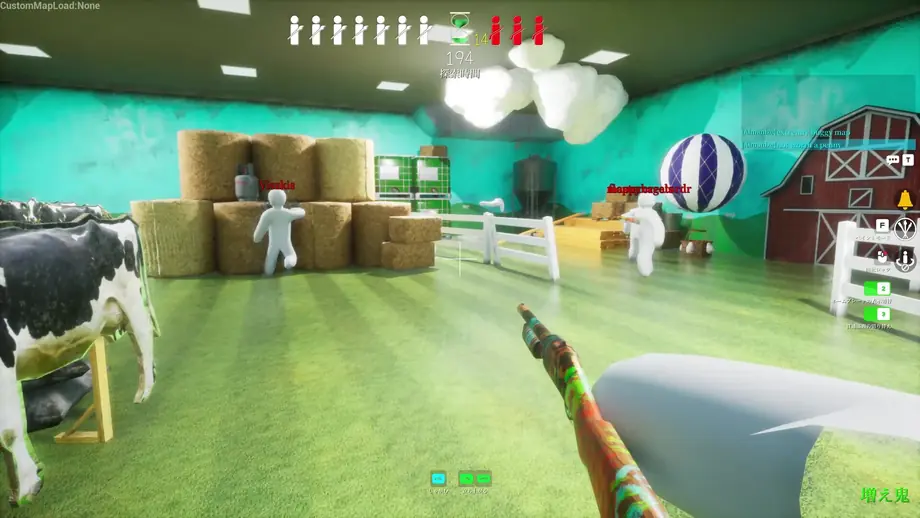
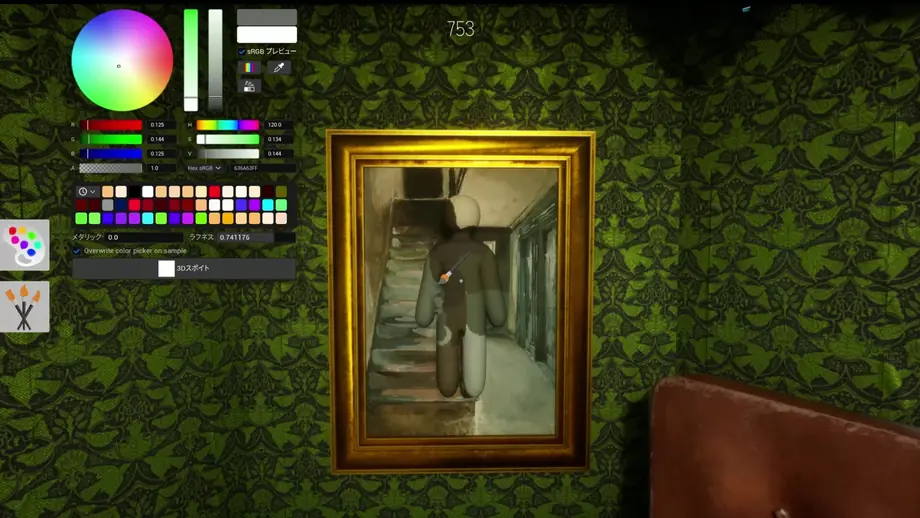
The screenshots below document the game’s visual language and the verified Steam source. They are deliberately labeled as PC media so readers do not mistake them for PlayStation captures.
Official pages to recheck
The platform answer is time-sensitive. These links are the sources to revisit when a new announcement, listing, or release rumor appears.
FAQ