
Short answer: do not assume MECCHA CHAMELEON crossplay
As checked on August 16, 2026, the verifiable first-party release is the Steam version for Windows PC. The official pages checked for this guide do not confirm that Windows players can join a native Android, iPhone, PS5, Switch or separate Mac build. That is a careful evidence boundary, not a claim that a future port is impossible.
Crossplay means players on different supported platforms can join the same online session. It is different from multiplayer on one platform, from Steam Deck compatibility, and from viewing a Windows game through Remote Play. A phone showing a PC stream may be useful, but it does not prove that a native mobile player can join the PC matchmaking system.
For a friend session today, the safest assumption is that everyone should use the same verified Steam/Windows route until the developer publishes a platform-specific announcement. Check the official Steam page, the newest Steam news, and the current in-game room flow before promising a mixed-device lobby.
Steam Deck, virtual Windows, CrossOver, Remote Play and cloud streaming may help an individual player access a PC session. They do not automatically create native cross-platform support or guarantee compatible input, voice chat, updates and matchmaking.
What the first-party evidence does and does not show
A platform page is useful only when it identifies the same game, developer and release path. The official Steam listing establishes the currently verified PC baseline. Steam news can reveal future platform announcements or networking changes, but silence is not proof of a permanent refusal to support other devices.
Use the table below as an evidence checklist. It keeps the answer useful without inventing a release date, a console build, an Android package or a crossplay promise that the checked sources do not support.
| Question | Verified source boundary | How to interpret it |
|---|---|---|
| What release is verified? | Steam / Windows listing | A verified PC route is not the same as cross-platform play. |
| Does Steam Deck prove crossplay? | Steam Deck is a handheld PC using Steam | It is the same PC ecosystem, not a separate console network. |
| Is a mobile stream a mobile release? | Remote Play can display a PC session | Streaming a host does not prove a native Android or iPhone client. |
| Is a future port confirmed? | No first-party port announcement was verified here | Recheck official news instead of trusting a rumor or file mirror. |

How to verify crossplay before inviting friends
Run these checks close to the session date because platform labels, networking features and update behavior can change.
Open the official Steam listing
Confirm the exact game identity, current platform information, system requirements and recent store notices. Do not use a same-name APK or mirror as platform evidence.
Read the newest official news
Look for a dated developer announcement that names a console, mobile platform, cross-platform feature or networking change. A video title alone is not a release notice.
Separate access from connection
Ask whether a second player owns a native client or is only viewing/controlling the Windows session through Remote Play, a virtual machine or streaming.
Test one private room
Use the current in-game room flow with the exact accounts and devices. If the mixed-device join path is not visible, do not promise that the session is supported.
MECCHA CHAMELEON platform matrix
These cards distinguish a verified platform fact from a possible user-side workaround. None of the workaround descriptions should be read as an official port or guaranteed crossplay route.
Windows PC on Steam
This is the clearest first-party route checked for the game. Friends using the same current Steam/Windows release should start with the multiplayer guide and the in-game room options.
Steam Deck
Steam Deck is a handheld PC, so its compatibility question is separate from console crossplay. Check current performance, input and online behavior before a long session.
Mac
A Mac may test Windows, a compatibility layer, a virtual machine or remote access. The Mac guide records those boundaries; none proves a native Mac client or crossplay.
Android and iPhone
A phone can display a PC session through a remote route, but no native mobile client is verified here. Do not install a same-name APK to test a crossplay claim.
PS5 and Switch
The existing platform pages track first-party evidence for PlayStation and Nintendo. Without a named official release, a controller or remote setup does not become a console port.
Future ports
A future port could change the answer. Update the platform matrix only after the developer or an official storefront names the platform and the connection model.
What to do when friends use different devices
If everyone can access the same Steam/Windows release, use that common baseline first. The multiplayer guide covers room planning, player expectations and reconnect behavior; this page only answers whether the devices share a native client path.
If one person owns a Mac, phone or console, label the proposed route honestly: Windows host with Remote Play, a tested Windows compatibility path, or a future-port watchlist. Do not call it crossplay unless the second device joins as a supported client.
When an update changes the store listing, networking, controller UI or platform notes, return to the update-history page and recheck the official source. Platform compatibility is a moving fact, so the date of the check belongs near the answer.
Use one verified baseline
Match the same Steam app identity and current release before troubleshooting a friend invite.
Name the workaround
Say Remote Play, virtual Windows or compatibility layer instead of presenting it as native crossplay.
Recheck after updates
Review official Steam news and the in-game room flow after platform, input or network changes.
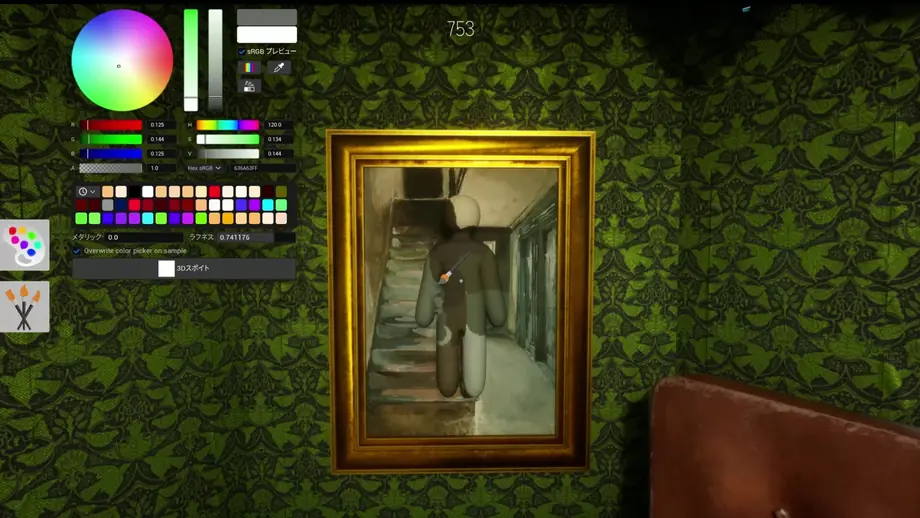
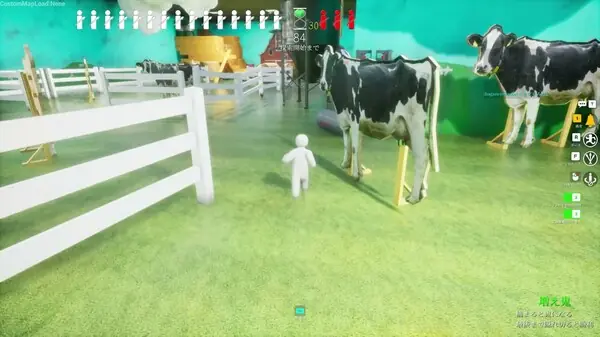
Use official gameplay media for identity checks
Screenshots and trailer thumbnails can confirm that a page is discussing the same game, but they cannot prove platform support. Pair media with a current store or developer announcement before making a crossplay decision.
Official sources to recheck
Use first-party pages for changing platform, release and update facts. This page is an independent guide and does not replace the official listing.
FAQ